OpenID Connect (OIDC)
Configure OIDC authentication for GoDoxy and per-application middleware
Overview
OIDC allows users to authenticate using an external identity provider (IdP) such as Authentik, Pocket ID, or Azure AD. Use it for:
- WebUI Authentication - Single sign-on for the dashboard
- Per-Application Middleware - Protect individual routes with OIDC
Environment Variables
| Variable | Description | Default |
|---|---|---|
GODOXY_OIDC_ISSUER_URL | OIDC issuer URL | empty |
GODOXY_OIDC_CLIENT_ID | OIDC client ID | empty |
GODOXY_OIDC_CLIENT_SECRET | OIDC client secret | empty |
GODOXY_OIDC_ALLOWED_USERS | Allowed users list | empty |
GODOXY_OIDC_ALLOWED_GROUPS | Allowed groups list | empty |
GODOXY_OIDC_SCOPES | OIDC scopes | openid,profile,email,groups |
GODOXY_OIDC_RATE_LIMIT | Rate limit | 10 |
GODOXY_OIDC_RATE_LIMIT_PERIOD | Rate limit period | 1s |
Scopes
| Scope | Description | Required |
|---|---|---|
openid | OpenID Connect | Yes |
profile | User profile | Yes |
email | User email | No |
groups | User groups | No |
offline_access | Refresh token | No |
Callback URL
Add this callback URL to your IdP:
https://*.yourdomain.com/auth/callbackOr for regex-based configuration:
https:\/\/([^\.]+)\.yourdomain\.com\/auth\/callbackProvider-Specific Configuration
Authentik
- Set Signing Key to "authentik Self-signed Certificate"
- Set Encryption Key to None
- Set Issuer mode to "Each provider has a different issuer, based on the application slug"
- Add scope:
authentik default OAuth Mapping: OpenID 'offline_access'
Example Configuration
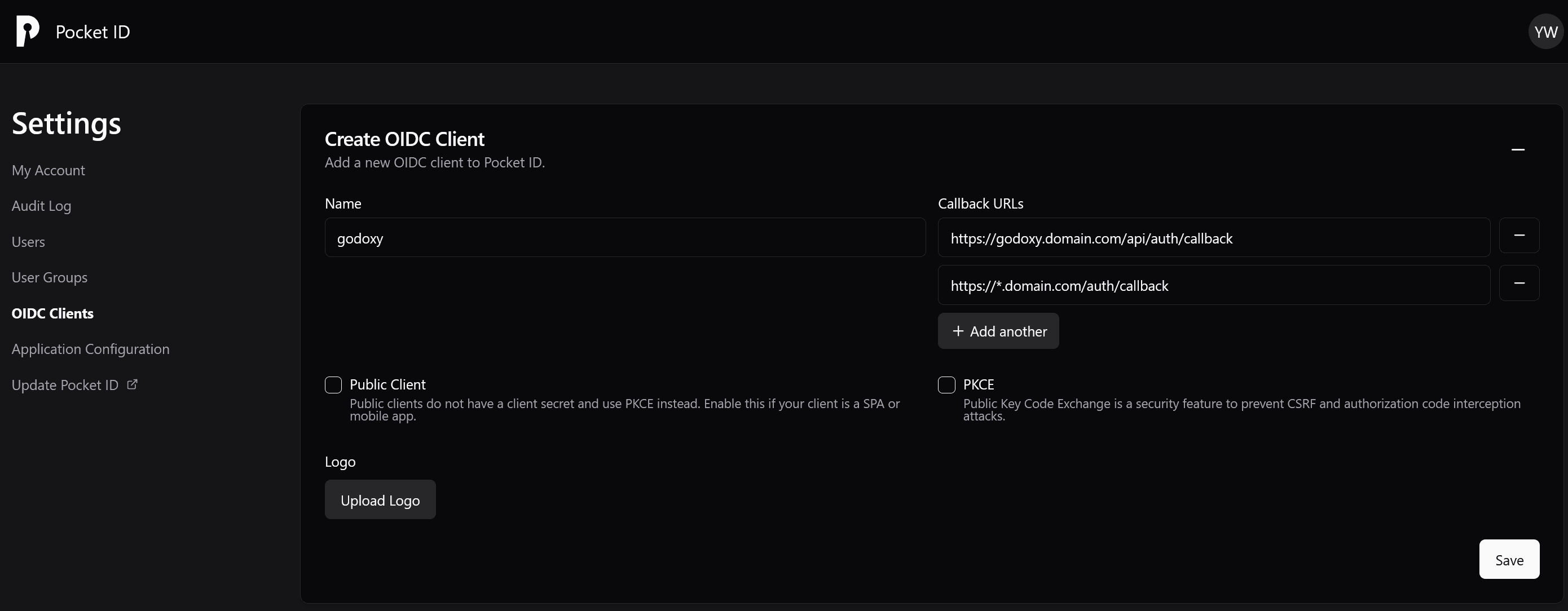
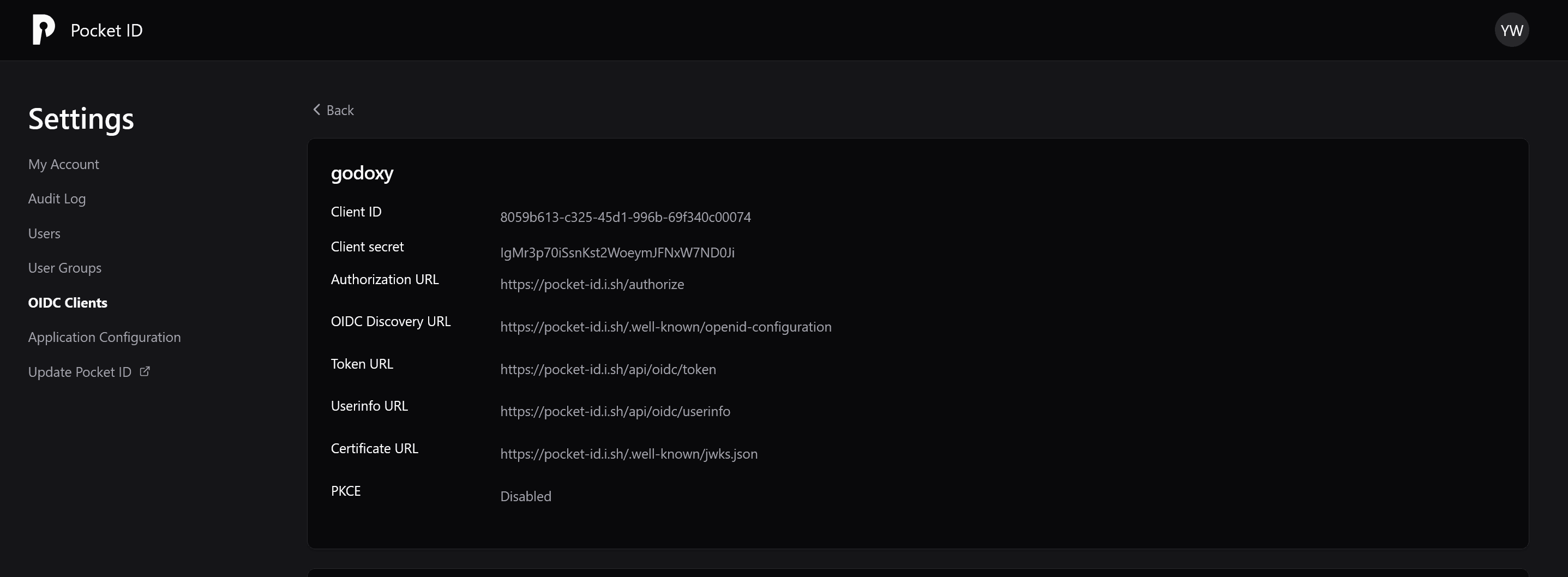
Add these to .env:
| Variable | Description | Example |
|---|---|---|
GODOXY_OIDC_ISSUER_URL | IdP base URL | https://id.domain.com (Pocket ID) or https://auth.domain.com/application/o/<slug>/ (Authentik) |
GODOXY_OIDC_CLIENT_ID | Client ID | your-client-id |
GODOXY_OIDC_CLIENT_SECRET | Client secret | your-client-secret |
GODOXY_OIDC_ALLOWED_USERS | Allowed users | user1,user2 |
GODOXY_OIDC_ALLOWED_GROUPS | Allowed groups | group1,group2 |
Per-Application OIDC Middleware
Protect individual routes with OIDC. Omitted options inherit from the global
GODOXY_OIDC_* variables above. You can also configure a standalone issuer
and credentials on the middleware; global OIDC does not need to be enabled.
The OIDC middleware only processes GET requests. Non-GET requests and WebSocket connections are blocked with a 403 Forbidden response.
services:
  app:
    labels:
      # Inherit issuer and credentials from GODOXY_OIDC_*
      proxy.#1.middlewares.oidc:
Standalone issuer (for example Authentik per-application issuer):
services:
  app:
    labels:
      proxy.#1.middlewares.oidc: |
        issuer_url: https://auth.example.com/application/o/app-b/
        client_id: app-b-client-id
        client_secret: app-b-client-secret
        allowed_users:
          - user1
        scopes:
          - openid
          - profile
          - email
          - groups
See OIDC Middleware for the full option list and more examples.